
IT Security
Bell Data Breach 2026: What Toronto and GTA Businesses Should Do Now
Last updated: November 26, 2026
Bell and Virgin Plus confirmed a data breach on November 17, 2026. Here is what was exposed, the scams most likely to follow, and the seven steps GTA businesses should take this week.
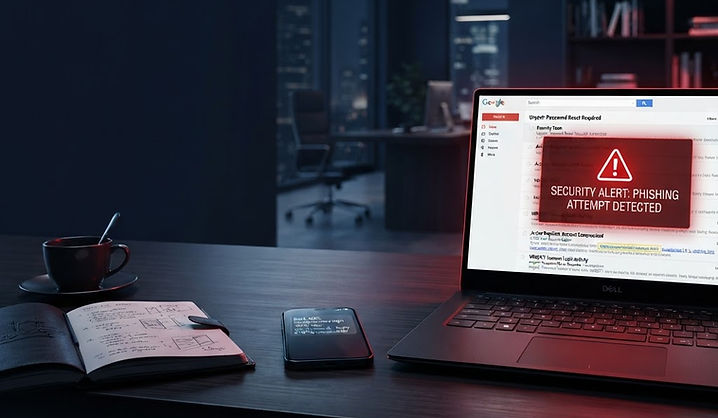
On November 17, 2026, Bell confirmed that an unknown threat actor had accessed some of its internal systems. Names, mailing addresses, phone numbers, email addresses and account details may have been exposed, and Virgin Plus was named in the same notice. Bell says no credit card or banking information was taken.
That matters less than it sounds. The details from the Bell data breach are exactly what a scammer needs to sound like Bell, Virgin Plus or your IT provider on the phone. What follows is a practical plan for the next few days, in the order we would work through it.
What Happened in the Bell Canada Data Breach
Bell says an unknown “agentic” threat actor accessed some of its internal systems on November 17, 2026. The systems involved include one used for ordering and provisioning business circuits — the plumbing behind business internet and phone links.
Bell first said only business, or enterprise, customers were affected, then confirmed some residential customers were affected too. Virgin Plus, a Bell subsidiary, was also named. You can read the official Bell incident notice for the company's own wording.
Bell says it contained the incident and removed the attacker, but has not identified who was behind it. The RCMP's cybercrime unit has been contacted. The investigation is ongoing, so details may change. The Canadian Centre for Cyber Security has also warned that attackers are posing as internal IT support to steal logins.
Why an “Agentic” AI Attack Is a Warning Sign for Every Business
Bell described the actor behind this incident as agentic. In plain language, the attack was run by software that plans and carries out its own steps, rather than a person typing every command. It can search a system, collect what looks useful, try the next thing, and keep going without anyone at the keyboard.
The difference is speed. Work a human attacker once stretched over days can now be compressed into hours. An AI-driven attack is not magic; it is simply faster than the person defending against it.
The same technology is changing the messages in your inbox. Emails written with AI no longer carry the odd phrasing that used to give them away, voice calls can be cloned from a short recording, and texts can be personalised with details from an earlier breach. That is why a Bell data breach matters to a business that never bought anything from Bell.
None of this means the basics stop working. MFA, patched systems, email filtering and alert staff still stop most attacks.
Why Business Customers Should Pay Extra Attention
A consumer breach usually leaks an email address and a phone number. A business account record carries more: account numbers, contact names, service addresses, and details about circuits and services. Put those together and a scammer can sound like someone who already works with you.
When a caller quotes your circuit number and the address of your office, the natural instinct — “they must be legitimate” — is exactly what the attack depends on. The details are real; the person is not.
Business accounts also concentrate risk. One compromised mailbox in accounts payable can redirect a payment worth more than any consumer fraud. Until Bell says otherwise, treat any message quoting your Bell or Virgin Plus account details as unverified.
Scams to Watch For in the Coming Weeks
Fake Bell billing or “account verification” emails
The email uses Bell's colours and says your account needs verifying within 24 hours or service will be cut. The button opens a fake Bell sign-in that asks for your email password. Real billing issues appear in your account portal, not behind an email link.
Text messages with links to “update your account”
A text mentions an unpaid balance or a problem with your account and includes a short link. Short links hide the destination, and the page asks for a login or card details. Bell does not need you to sign in through a text.
Phone calls from fake Bell or IT support staff
The caller knows your name, office address and sometimes your circuit number, then offers to fix a problem you never reported. They ask you to install a remote tool or read out a code. Real support never asks for your password.
Fake service outage or circuit upgrade notices
You get an email or call about a scheduled upgrade to your business circuit, with a request to confirm contact details or reschedule. Confirm upgrades through your own account manager, never through a link in a message.
Invoice or payment change requests
Your accounting team gets what looks like a Bell invoice, or a note that remittance details have changed. The amount is plausible and the branding is right. Any change to banking details must be confirmed by phone using a number you already have.
Your 7-Step Action Plan for This Week
- 1
Treat unexpected Bell, Virgin Plus or IT support messages as suspicious
If a message asks you to click, log in, pay or confirm details, verify it another way. Find the number on your own invoice and call it yourself.
- 2
Turn on multi-factor authentication (MFA) everywhere
Start with Microsoft 365, then banking, payroll and your domain registrar. MFA is what makes a stolen password close to useless.
- 3
Never enter a password on a page you reached from a link
Open the site by typing the address or using a saved bookmark, then sign in there. If a page asks for a password you did not expect to type today, close it.
- 4
Review Microsoft 365 sign-in logs and alerts
Look for sign-ins from countries you do not work in, impossible travel, new devices, and new inbox rules that forward mail. Attackers add forwarding rules to keep reading after a password change.
- 5
Run a short phishing refresher with staff this week
Fifteen minutes is enough. Show two real examples, remind people how to report a suspicious message, and make clear nobody is in trouble for reporting a mistake.
- 6
Set a verbal verification rule for money and vendor changes
Any change to bank details, remittance or vendor contacts gets confirmed by phone using a number already on file.
- 7
Confirm your IT provider's real process
Staff should know how genuine support contacts them, and that it will never ask for passwords, MFA codes or unrequested remote access.
What to Do If Someone on Your Team Already Clicked
A click is not a breach, and it is not a reason to blame anyone. What decides the outcome is how quickly the next five steps happen.
- Disconnect the device from Wi-Fi or the network if a file was opened or a remote tool was installed, and leave it powered on for IT.
- Change that password from a different device you trust, then sign out of active sessions.
- Report it to IT or your provider right away. Speed matters far more than blame.
- Check mailbox rules, forwarding addresses and MFA methods for anything you did not set up.
- Watch your bank account and payment approvals for unusual activity over the next few weeks.
How Sun IT Solutions Protects GTA Businesses
Most of the work after an incident like this is unglamorous: making sure the basics are in place before someone clicks. That is the part managed IT services exist to carry.
Our Microsoft 365 security work starts with MFA enforced, Conditional Access in place and sign-in alerts reviewed, so an unusual login is noticed the same day rather than at renewal. We monitor endpoints and mailboxes around the clock, filter phishing, and run short, practical cybersecurity awareness training that staff remember. For companies in York Region, our managed IT services in Markham add on-site support when remote help is not enough.
If you are not sure where you stand, start with a free IT assessment: we review MFA coverage, mailbox rules, backup and phishing exposure, then give you a written list of what to fix first. You can also contact us directly.
Frequently Asked Questions
This article reflects information available as of November 2026. We will update it as Bell releases more details.
Free assessment
Not Sure If Your Business Is Ready?
Book a free IT and security assessment with Sun IT Solutions. We'll review your Microsoft 365 security, MFA setup, and phishing risk, and give you a clear action plan.
Book Your Free Assessment